ANDREWEISS.
A photographer with a researcher’s mind.
The constellation
01 / The question
Different photographs.
A shared sense of color?
I kept noticing dark tones in my photography. Were there color relationships I couldn’t immediately see?
A question explored through 150 photographs, made between 2020 and 2025.
02 / From a color to a palette
Can you see the color
before it returns?
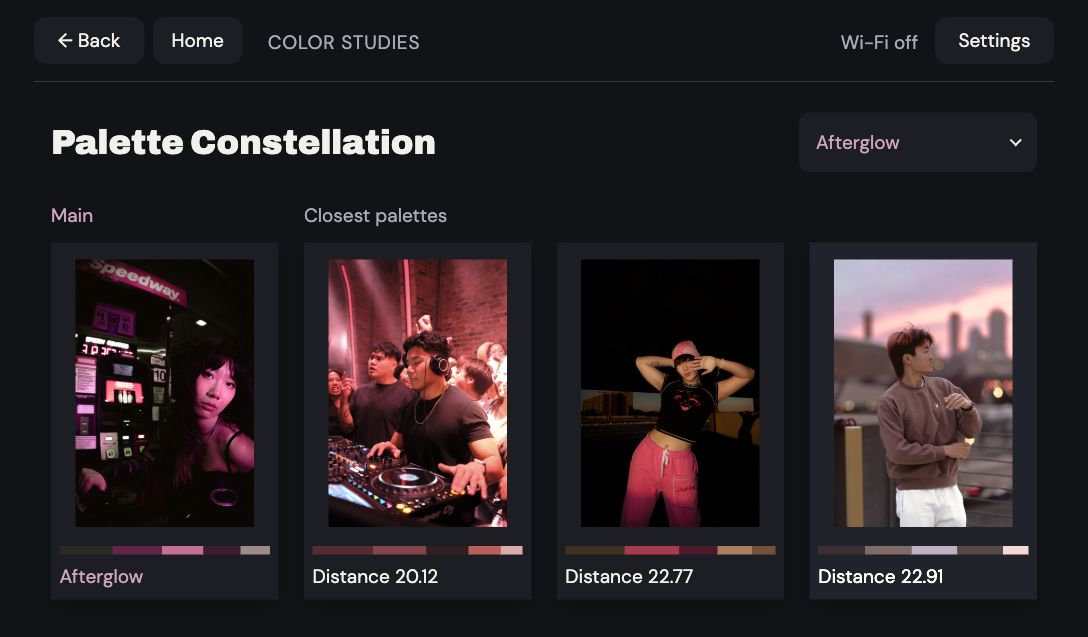
Which palette belongs to this photograph? Choose a palette to bring its colors back.
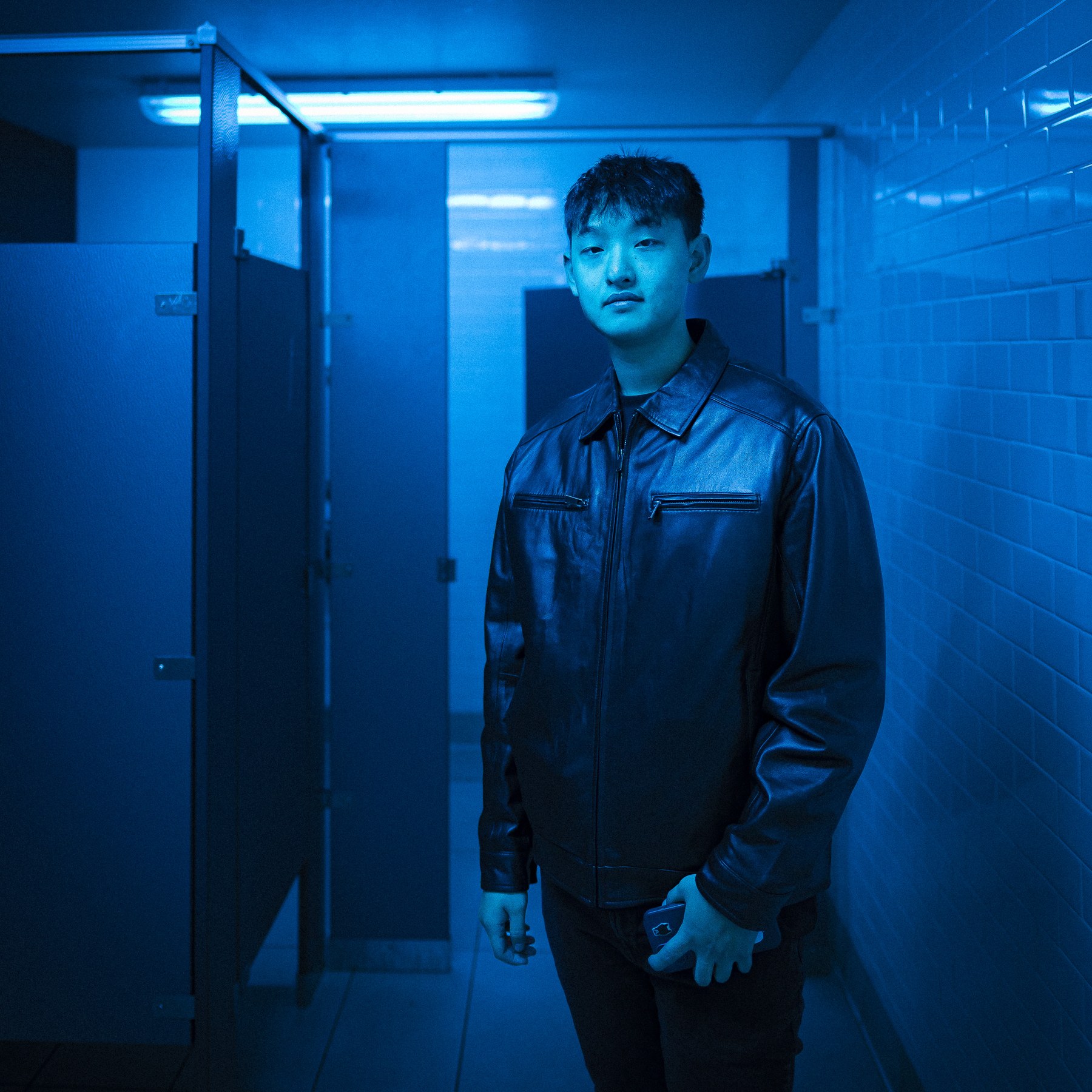
Look at the balance of light and dark. Which colors do you imagine?
How five colors become a comparison
The width of each band represents its share of sampled pixels. Those pixels are grouped into five colors in CIELAB ↗, which approximates perceived color differences. The extraction filters extreme shadows and highlights when enough pixels remain, so the bar describes that retained sample.
A palette keeps the colors and their proportions, but loses their positions in the photograph. There is no meaningful “first color”: Wasserstein distance compares these weighted distributions, allowing one color’s share to match across several others.
03 / The extraction changes the relationship
The pixels you keep
change the match.
Wasserstein comparisons felt more interpretable during experimentation. But the extraction mattered too: filtering extreme shadows made this dark image match a bright one.
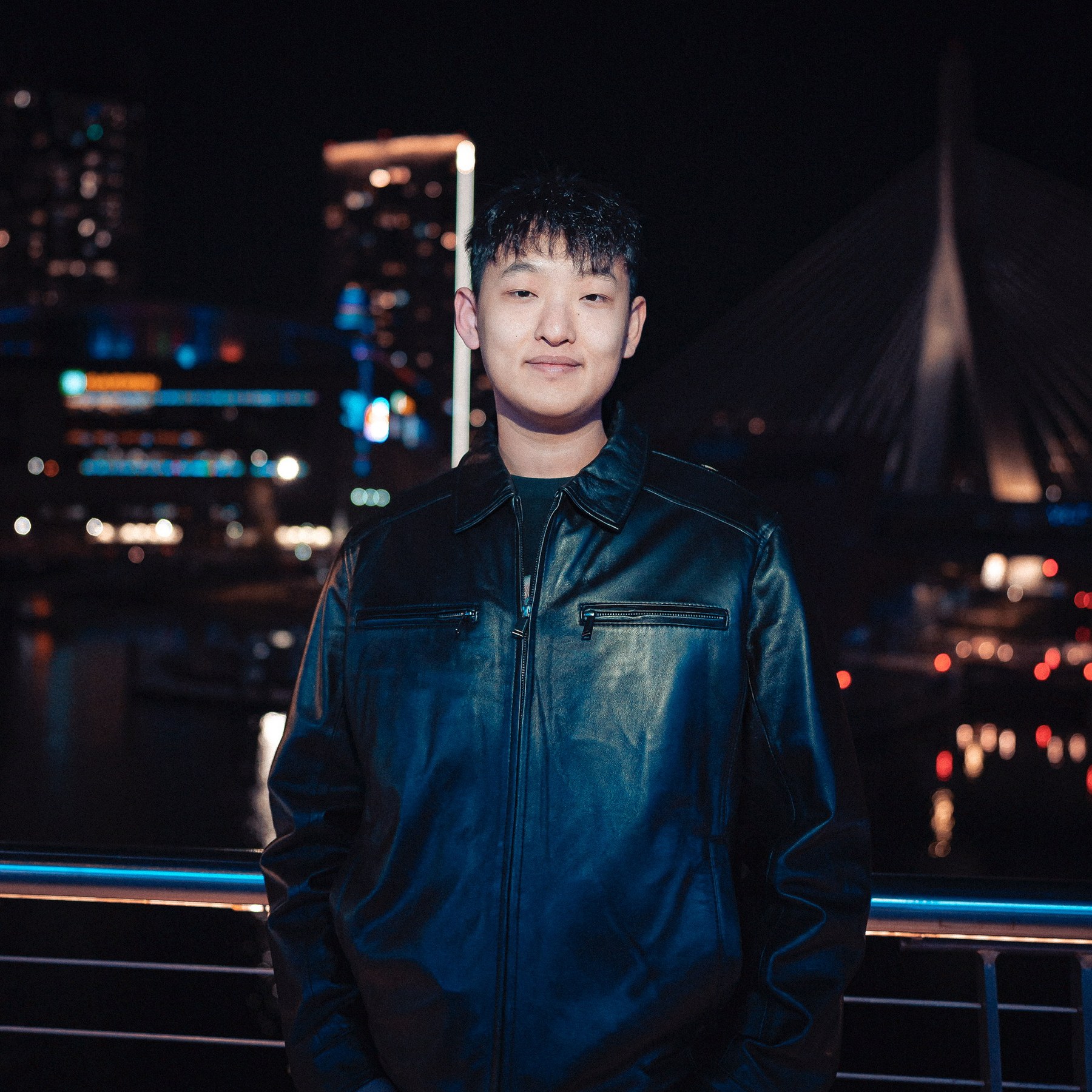
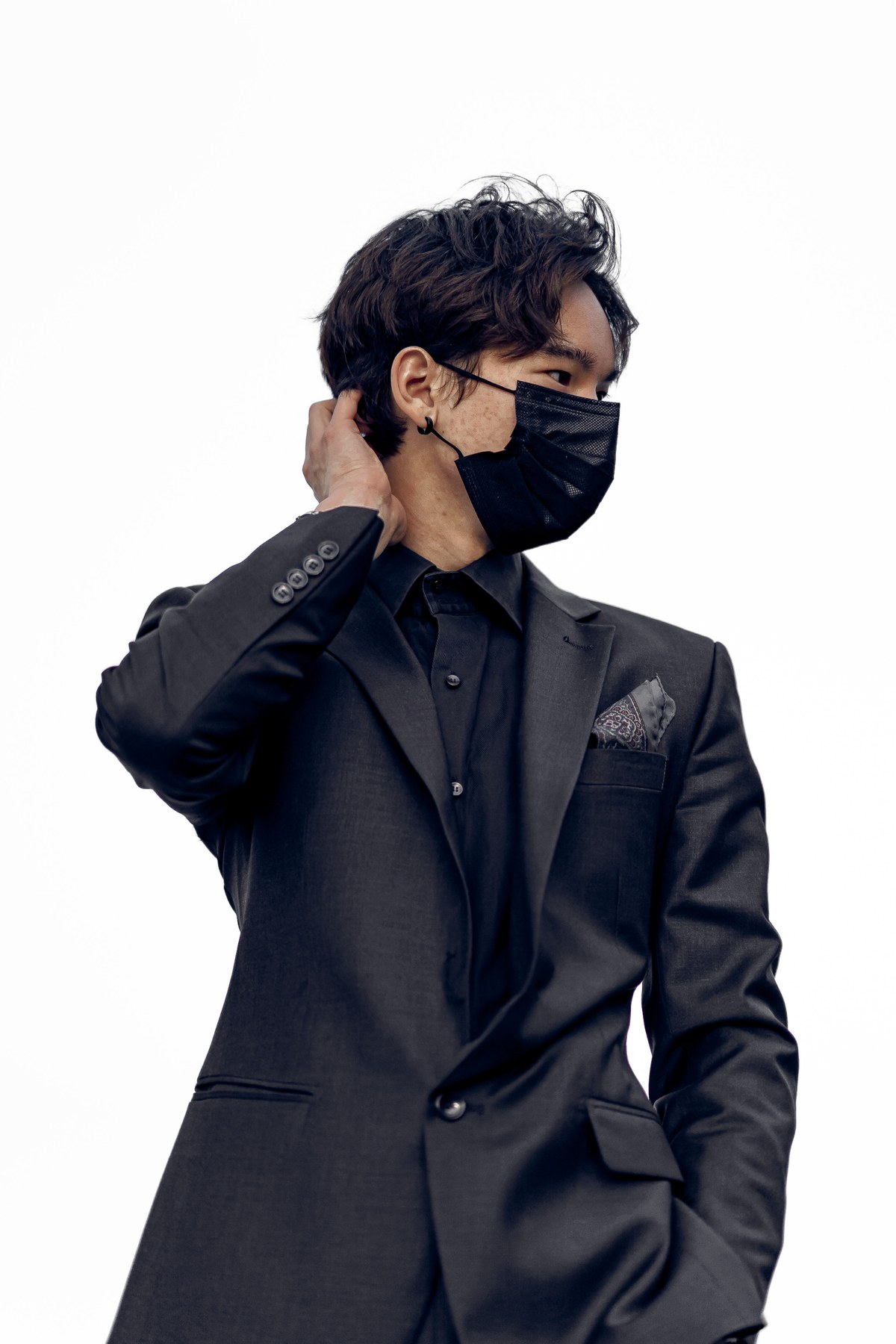

Keeping shadows and highlights changed the closest match. One diagnostic example—not proof that every match improved. The map above retains the original extraction.
What changed, and what didn’t
The audit kept five CIELAB colors and Transport comparison, then re-extracted palettes without brightness clipping. A paired control used the same sampled pixels; neither variant filtered skin tones.
Separately, “Matched weighted” pairs colors one-to-one. Transport allows split matches and accounts for changes in proportions. Both remain available in the map.
04 / Observations
Recurring tones.
An open interpretation.
Darker palettes and red- and blue-oriented colors recurred. A distribution analysis added a nuance: five extracted colors often describe variations of one hue, or mostly neutrals.
Patterns worth exploring. Not a definitive photographic signature.
Read the pattern. See the photograph.
Select a category to see an example / 150 photographs
Several blues, spread across all five colors.
Variations of a hue run through several extracted colors.
Variations of a hue run through several extracted colors.
Muted grays carry most of the palette, despite the small, vivid details.
Neutrals account for 67% of this extracted palette.
Neutrals account for 91% of this extracted palette.
Cool shadows, pale highlights, and warmer tones share the palette.
Several hue families share the extracted palette.
Several hue families share the extracted palette.
Two hue families carry most of the extracted color weight.
Two hue families carry most of the extracted color weight.
Two hue families carry most of the extracted color weight.
One brown color carries 68% of the retained sample.
One extracted color carries 58% of the retained sample.
One extracted color carries 68% of the retained sample.
One near-black color carries 74% of the retained sample.
One extracted color carries 78% of the retained sample.
Exploratory labels for these 150 photographs, based on palette weights and hue families. Changing the thresholds can change the labels.
How to read these categories
“Single-hue distributed” describes colors spread across several clusters but concentrated in a hue family or closely aligned hues. “Neutral dominated” requires at least 65% neutral weight, after checking for a single cluster with at least 70% weight.
The remaining categories describe balanced mixtures, two-family palettes, or dominance by one extracted cluster. Each photograph receives one label; these are descriptive rules, not validated aesthetic judgments.
05 / From exploration to possibility
The map invites exploration.
The palettes make the comparison.
t-SNE, UMAP, and MDS offer different approximate views. Nearby points needn’t have equally close original color distances.
“Closest palettes” uses the underlying comparisons, not the distance between points on screen.
Explore the layouts ↑Potential applications
Start with the map.
Follow a color connection.
A related photograph could become the start of a sequence, a mood, or a new direction for an edit.
- Curate a collection.
- Explore a neighborhood of photographs, compare their palettes, then choose by subject, composition, and story.
- Find a starting point for a brief.
- A future version could use a design palette to find a way into the map and narrow a selection for an editorial, website, or campaign.
Possibilities to test: does color similarity help make a selection, and when does it miss the mood?
2026 / PERSONAL ENGAGEMENT TOOL
[pet.]
A small device.
A more memorable hello.
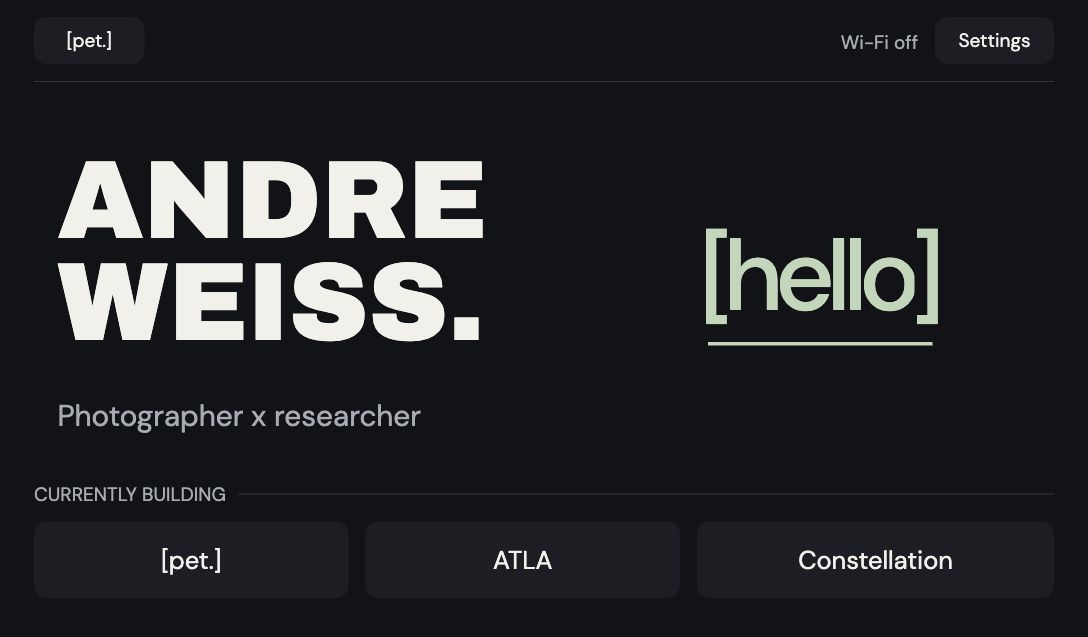
Go ahead. Say hello.
Tap the screen, or use Try Hello below for a guided introduction. Reset starts again.
Current OS · simulated phone and NFC events · no live introductions
01 / Why PET exists
A project to show.
A hello to remember.
I wanted to share what I’m making while talking to someone in person. PET puts the work in the conversation.
- Today
- A working touch-display prototype, a phone-based Hello flow, and tested NFC card links.
- The possibility
- A portable portfolio paired with customizable cards that remember how we met.
- On PETOpen Hello.
- On your phoneScan. Introduce yourself.
- On the NFC cardCarry the context forward.
02 / Designing the interaction
Small screen.
Deliberate choices.
Room for the work.
Landscape gives projects and useful information room beside the greeting. A vertical layout stacks the same conversation into a narrower space.
Layout comparison · portrait is a concept.
WEISS.Photographer x researcher[hello]CURRENTLY BUILDING
Does a photograph need full color?
Photography first drew me to a color LCD. But composition can hold its own in monochrome—opening a different display direction.
A visual study, not an e-ink simulation.
Let the card be the point of contact.
The RC522 reads and writes tags; it doesn’t act as a phone-tappable card. A QR starts the introduction. The finished card becomes the tap point.
Each card opens a personal greeting and, with permission, the topic we connected over. A reminder of our conversation.
03 / Building the prototype
Learning across
screens, wires, and a shell.
My first ESP project: HTML/CSS to try the screens, AI coding help for firmware, then wiring the NFC reader, testing card links, and revising the case in CAD.
Inside the build
138 × 96 × 22.4 mm. The shell has been printed. This render uses the final CAD geometry with the current OS on screen.
The tighter backing and longer switch are CAD-checked revisions; their physical fit still needs testing.
Waveshare touch display ↗RC522 NFC reader ↗3.7 V LiPo battery ↗Transparent NTAG213 stickers ↗
04 / Testing in the field
What happens when
everyone says hello?
Peer testing and a demo at an Accenture networking event brought PET into real conversations. Simultaneous introductions exposed an unfinished interaction.
- Observation
- Several hellos can arrive at once.
- Design implication
- Each person needs a clear acknowledgment.
- Open question
- How do we keep every exchange distinct?
Working toward V2.
Development hasn’t started. Display choice, card design, and concurrent hellos remain open.
Try the current prototype ↑In good company.
Hi, I’m Andre.
The camera is one way in. Research is another. I photograph people, study how we think, and help creative ideas take shape.